

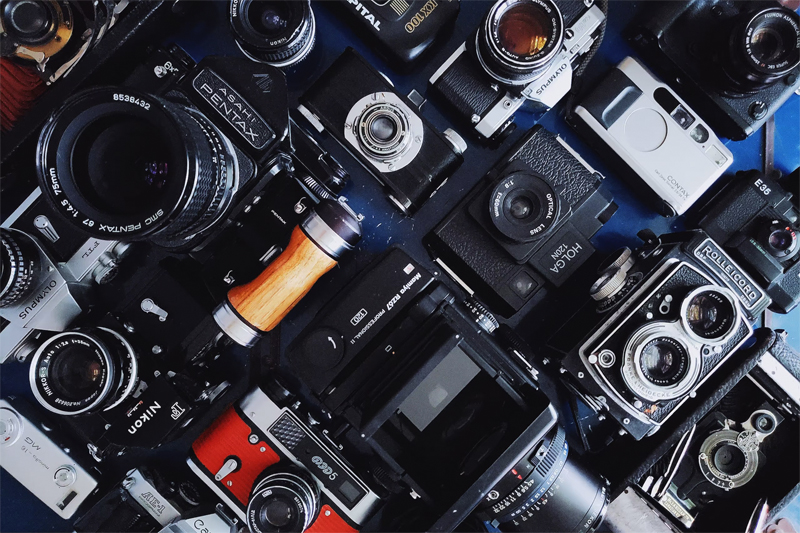
Before you contact customer support with your broken camera request, try on of these 10 simple tricks you can do to fix your camera.
1 Try a different battery.
A common issue cameras can have, especially older cameras, is that their batteries don’t last as long as the camera does. For instance, if you bought a brand-new camera and stuck it in your closet for a year with the battery installed, that battery might actually be completely dead the next time you go to use it. You can try charging up the camera or the battery but if that doesn’t work your best bet is to first buy a new genuine battery for your camera.
2 Try a different camera lens.
This tip really only applies to DSLR’s and Mirrorless Interchangeable Lens Cameras, but it is a good tip for some compact digital camera’s as well. Many times, a camera will refuse to work with the attached lens for whatever reason, and the quickest way to find out if the lens is your problem is to do the simple and easy thing, try another lens on your camera.
For some compact digital cameras, the lens retracts when it is powered off. In some rare cases with these kinds of cameras the lens can become stuck in the retracted position. When the lens gets stuck in place it usually causes the camera to malfunction. If this is the case it is sometimes possible to simply pull on the lens to get it to come out, or, cleaning out sand or dust may help the camera work again.
3 Reset your camera’s settings to the factory default.
Resetting the camera is a good idea if there is some kind of glitch occurring or the camera is not behaving how we want it to. Once in awhile people forget that they changed the settings and this can lead to issues. Or, perhaps you bought a used camera and that owner had changed different settings leading to things appearing not to work properly on the camera. The easy solution is to simply reset the camera to the factory defaults. When you do that the camera will go back to working how it was supposed to work (hopefully).
4 Try a different memory card.
Just like lenses and batteries, sometimes memory cards go bad and can cause crazy things to happen with our images. Every once in a while, unscrupulous dealers put fake memory cards up for sale that aren’t new or aren’t the advertised brand name. Before blaming the camera ask yourself, did you accidentally leave your memory card in your pants pocket the last time you washed your clothes? If so, that might actually be your problem… the memory card is now damaged and it’s time to get a new one. Sometimes certain brands of cards don’t work as well with certain brands of cameras. It’s just one of those things.
5 Make sure the camera sensor is clean.
When I say the camera sensor has to be clean I mean it has to be clean as whistle. Dirty camera sensors can cause spots, lines, and blurry images among other things. If you touch your camera sensor it can cause images to appear blurry and dark where the fingerprint is but the sensor may look clean to the naked eye. That is because the oils on our skin can affect how the light is focused on the sensor.
6 Make sure your camera lens is clean.
The camera lens is easy to get dirty fingerprints all over and anyone who has used a camera knows this by now. There is a common misconception that dust and fingerprints won’t show up if they’re on the front of the lens, but the truth is fingerprints on the lens can affect the lens sharpness and even cause small flares and blooming around bright areas.
7 Clean the connections between the lens and the camera.
Once in a while the connection between camera and lens can be obstructed by dirt and grime that has built up on the lens connecting pins. Simply clean up these pins and it might fix that annoying “lens error” message you’ve suddenly started seeing.
8 If you dropped your camera in the water take the batteries out and let it sit for days.
Once in a grand while we do something really bad and drop our camera in the water. It is a nightmare scenario but doesn’t always end up with a ruined camera. Many cameras are weather sealed so they may survive if you are able to retrieve the camera fast enough. The important thing is to remove the batteries and let the camera sit in a warm and dry spot for a few days or even weeks. After this time has passed check on the camera again, you might get lucky and find that it still works despite being dropped in the drink.
9 If you dropped your camera on concrete and it no longer works.
Most of the time if a camera was dropped on the ground and it ceases it to work as a result, that’s usually the end of that little camera’s usable life. Either send the camera in for repair or buy a new one. The unfortunate reality is that when most things are broken due to a drop on the ground that’s it, they’re done for.
10 You tried everything and you have no idea what is wrong with your camera.
Your camera doesn’t work, you didn’t drop it, and you’ve already checked everything on this list… Well, guess what? Did someone you know have access to your gear? Is it possible they used it without telling you? Did you order from an online shop and the camera arrived in a damaged box? I’ve had camera gear arrive looking like it was run over with a 4×4 truck. The gear usually worked fine but once in a while it can arrive broken due to bad shipping practices.
Once in a blue moon, ie, one in many thousands of camera bodies may somehow escape the factory in a non-working state. It is highly, highly unlikely that it would happen, but it could happen because technically anything CAN happen, but the question is DOES it happen? And the answer is, NO, not really. But it COULD happen.
